How to Write a Privacy Policy for Your Website: What to Include (2026 Guide)
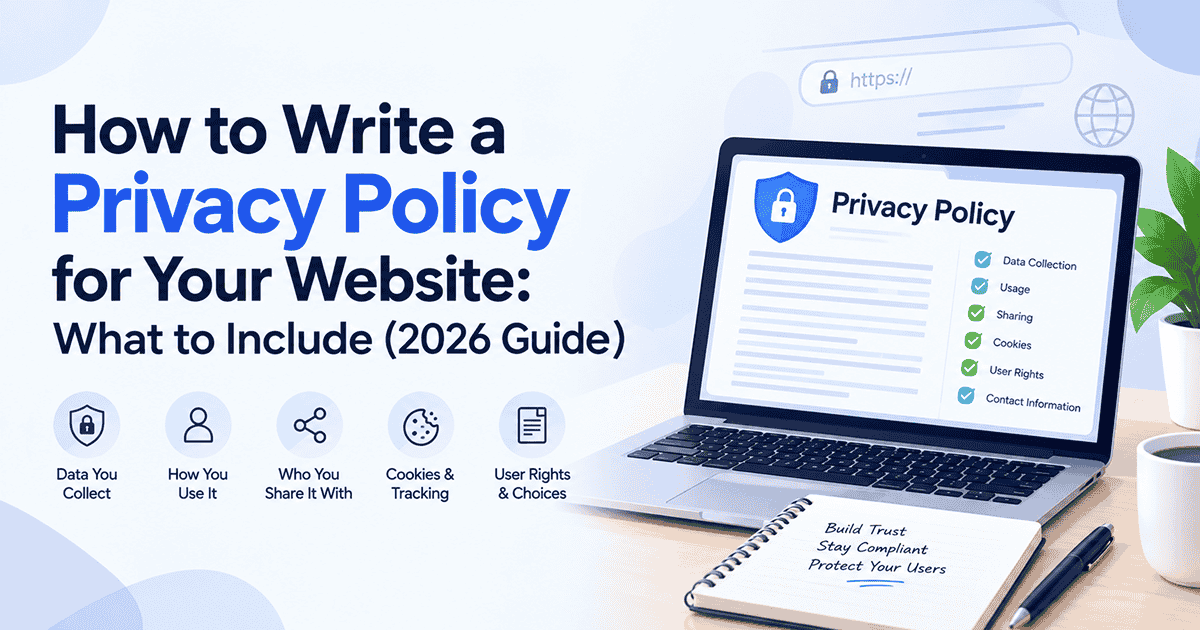
Every site that collects even a little data needs a privacy policy for website visitors to read, and “a little” includes a contact form or a Google Analytics script. This guide covers what a privacy policy is, when you legally need one, the sections to include, and the mistakes that trip people up. You’ll also see how to draft one in a few minutes.
What Is a Privacy Policy?
A privacy policy is a public document that explains what personal information your website or app collects, why you collect it, who you share it with, and what choices people have. It isn’t a marketing page, and it isn’t your terms and conditions. Terms set the rules for using your site. A privacy policy describes what happens to people’s data when they do.
“Personal information” is wider than most people expect. Names and email addresses obviously count, but so do IP addresses, device identifiers, location data, and anything stored in a cookie that can be linked back to a person. If your site touches any of that, you’re handling personal data, even if you never sell a thing.
Do You Really Need a Privacy Policy?
Short answer: almost certainly. Even a small blog or portfolio usually runs into at least one of these three pressures.
Privacy laws. The EU’s GDPR applies to anyone handling the personal data of people in the European Union, wherever your business is based. In the US, California’s CalOPPA requires commercial sites that collect personal information from California residents to post a privacy policy, and the CCPA and CPRA add further rights for certain larger businesses. Many other countries and states have their own rules, including India’s Digital Personal Data Protection Act, 2023.
Platform rules. Apple’s App Store and Google Play expect a privacy policy link for apps. Tools like Google Analytics and most advertising platforms also require you to tell visitors how data is collected and used on your site.
Trust. Visitors notice when a site has no policy, especially if you ask for an email address or a payment. A clear one signals that you take their information seriously, and that’s worth something even when no law forces your hand.
What to Include in Your Privacy Policy: 11 Sections
Laws differ by country, but most good privacy policies cover the same ground. Here’s a checklist you can work through.
1. Who You Are and How to Reach You
Start with your business name and a real way to get in touch, such as an email address or contact page. People need to know who is responsible for their data and where to send questions or requests.
2. What Personal Data You Collect
List the types of data you gather: names, email addresses, phone numbers, billing details, IP addresses, browsing behavior, and so on. Be specific. “We may collect certain information” tells the reader nothing.
3. How You Collect It
Explain whether data comes directly from users (forms, account sign-ups, checkout), automatically (cookies, server logs, analytics), or from third parties, such as a social login or an advertising partner.
4. Why You Use the Data
For every type of data, say what you do with it: fulfilling orders, sending a newsletter, improving the site, and preventing fraud. If you rely on the GDPR, you’ll also need to state the legal basis, such as consent or legitimate interest.
5. Cookies and Tracking Tools
Name the kinds of cookies you use (essential, analytics, advertising) and the tools behind them. Tell people how to manage or turn them off. Depending on where your visitors are, you may need a cookie banner with real consent options as well.
6. Who You Share Data With
Most sites share data with someone: a payment processor, an email platform, a hosting company, an analytics provider. Say who those categories of recipients are and why. If you never sell personal data, you can say so, but only if it’s true.
7. How Long You Keep It
State how long you retain data or the criteria you use to decide. “For as long as your account is active, plus two years for tax records” is far better than silence.
8. How You Protect It
Describe your security measures in plain terms, such as encryption in transit, access controls, and secure hosting. Don’t promise “perfect” or “unbreakable” security. No one can, and over promising is a risk in itself.
9. User Rights and Choices
Explain what users can do with their data: access it, correct it, delete it, object to certain uses or withdraw consent. Add clear instructions for making a request and a rough idea of how fast you’ll respond.
10. Children’s Privacy
If your site isn’t aimed at kids, say that you don’t knowingly collect data from children and explain what you’ll do if you find out you have. In the US, COPPA places strict rules on collecting data from children under 13, so this section matters more than it looks.
11. Changes and Effective Date
Put a “last updated” date at the top and explain how you’ll tell people about meaningful changes. A policy with no date looks abandoned.
Common Privacy Policy Mistakes
Most problems with privacy policies aren’t exotic. They’re the same handful of slip-ups, again and again.
Copying someone else’s policy. It’s tempting, but their policy describes their data practices, and it’s protected by copyright. Yours needs to describe yours.
Promising things you don’t do. A policy that says you never share data, while your site runs three ad trackers, is worse than having no policy at all.
Forgetting third-party tools. Chat widgets, embedded videos, social buttons, and analytics scripts all collect data. If they’re on your site, they belong in your policy.
Burying it. Link to your policy from your footer, sign-up forms, and checkout pages. If people can’t find it, it can’t do its job.
Never updating it. Add a new tool or start collecting a new type of data, and the policy has to change with it. Set a reminder to review it at least once a year.
How to Create a Privacy Policy with Indigo eDocs
You can write a policy from scratch, hire a lawyer, or use a template. A third option is to let an AI tool draft it for you and then edit it to match your site. Our AI Privacy Policy Generator is built for exactly that, and it’s a good fit for freelancers, online shops, and startups that need a solid draft without a big legal bill.
Step 1: Pick your document. Choose the privacy policy from the document types in Create with Indigo AI.
Step 2: Choose your country and language. The draft is tailored to the jurisdiction and language you select, so it reads like it was written for your audience.
Step 3: Add your details. Enter your business name, the kind of data you collect, and the tools you use so the policy reflects what your site actually does.
Step 4: Review, edit, and download. Read it through, change anything that doesn’t match your practices, and download it as a PDF or copy the text onto your website.
AI drafting is fast, but you remain responsible for accuracy. If you’re curious about where AI-generated documents stand legally, read our guide on whether AI-generated contracts are legally binding.
When to Talk to a Lawyer
A generated draft is a strong starting point for a typical blog, portfolio, or small online store. Get a qualified lawyer involved if you handle sensitive data such as health or financial information, serve children, operate in a regulated industry, or sell across many countries with different rules. Indigo eDocs is a drafting tool, not a law firm, and this article is general information rather than legal advice.
Frequently Asked Questions
Q1. Do I need a privacy policy for my website?
A: In most cases, yes. If your site collects any personal data, including through contact forms, analytics, cookies, or newsletter sign-ups, privacy laws such as the GDPR and California’s CalOPPA, as well as platform rules, generally expect you to publish a privacy policy.
Q2. What should a privacy policy for a website include?
A: It should explain who you are and how to contact you, what personal data you collect, how and why you use it, your use of cookies and tracking tools, who you share data with, how long you keep it, how you protect it, and what rights users have. It should also include an effective date.
Q3. Can I copy another website’s privacy policy?
A: It’s not a good idea. Another site’s policy is protected by copyright and describes that business’s own practices, not yours. If your policy says things you don’t actually do or leaves out things you do, it can create legal and trust problems.
Q4. Is a privacy policy the same as terms and conditions?
A: No. A privacy policy explains how you handle people’s personal data. Terms and conditions set the rules for using your website or service, such as payments, acceptable use, and liability. Most sites need both.
Q5. Can I use AI to generate a privacy policy?
A: Yes, AI can produce a solid first draft quickly. You still need to check that it matches what your site actually does and the laws that apply to you, and it’s worth getting a lawyer to review it if you handle sensitive data or operate in a regulated industry.
Final Thoughts
A good privacy policy does two jobs at once. It keeps you on the right side of the rules, and it tells visitors you’re honest about what happens to their data. Cover the eleven sections above, keep the language plain, and update the policy whenever your site changes.
Ready to get started? Create your privacy policy with Indigo eDocs and have a draft ready in minutes.